
A Propulator company is a shared workspace. Everyone you invite sees the same pipeline, contacts and documents, and draws from one credit balance.
What Your Team Shares
Everything in a company is shared:
- Deals, properties and contacts.
- Tasks and documents. The Tasks page shows every open task in the company.
- One balance of lookup credits.
- Pipeline stages and document templates.
Roles
| Owner | Everything, including billing, every role and removing other owners. Whoever creates the company is its owner. |
|---|---|
| Admin | Invites, settings, stages, billing, templates, deleting deals and voiding documents. Can't change an owner. |
| Member | Works deals, properties, contacts, tasks and documents. Can't change settings or roles. |
A company always keeps at least one owner. Owners can make someone else an owner.
Invite Someone
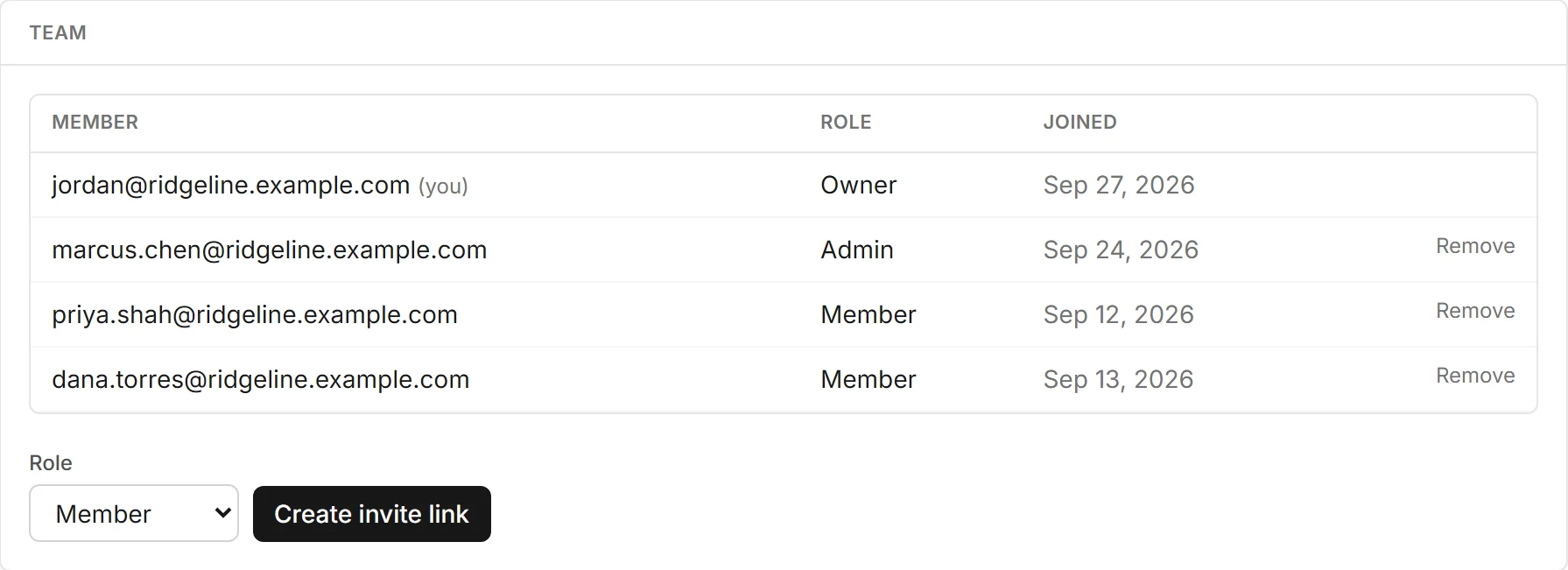
Owners and admins invite from Settings, Team:
- Pick a Role: Member or Admin.
- Choose Create invite link.
- Choose Copy and send the link to your teammate however you like.
- Pending invites are listed with their expiry date. Choose Cancel to turn one off.
Each link works once, expires in 7 days and is shown only once. Propulator doesn't send the invite for you.
Joining a Team
Your teammate opens the link. If they're signed in, they choose Join. If they're new to Propulator, they create an account right there, with no company name to fill in.
If a link was used, cancelled or expired, they see why and can ask you for a new one.
Change Roles or Remove Someone
In the Team list, owners and admins can change a person's role or choose Remove. Anyone can leave a company from Settings, Account.
If you belong to more than one company, choose Switch company in the menu under your company name.
Seats per Plan
| Free | 1 user |
|---|---|
| Starter | Up to 3 users |
| Pro | Up to 10 users |
The owner and pending invites count as seats. Downgrading never removes anyone. It only stops new invites until a seat is free.