
Documents turn a template into a contract filled with the deal's property, seller, buyer and numbers. Each signer gets their own link, and the signed PDF carries a full audit trail.
Start From a Template
Under Documents, every company starts with three sample templates:
- Purchase agreement
- Wholesaler disclosure addendum
- Assignment of contract
The templates are samples, not legal advice. Have a licensed real estate attorney in your state review and adapt any contract before you use it.
Write Your Own Template
Owners and admins can choose New template, or Edit on an existing one. Templates are plain text. Put merge fields in double braces, like {{seller.name}}. The Merge fields panel lists them all, including:
- {{property.address}}
- Full property address
- {{seller.name}}
- Seller name
- {{buyer.name}}
- End buyer name
- {{deal.contract_price}}
- Contract price
- {{deal.assignment_fee}}
- Assignment fee
A field with no value prints as a blank line. A misspelled field stays exactly as typed, and the editor tells you which ones it didn't recognize.
Create a Document From a Deal
Open the deal. In its Documents section, pick a template and choose Create document. Or choose New document under Documents, pick the deal, then the template.
The draft is filled from the deal. If the template uses seller fields, the deal's seller is added as a signer, and buyer fields add the end buyer the same way.
Edit Before Sending
A draft opens in Edit before sending. Change the title or any of the text, then choose Save changes.
If a merge field had no value, a banner tells you. Fill it in on the deal and create the document again, or type it in here.
Add Signers
In the Signers panel, enter a Name, an optional Email and what they Signs as, like Seller, then choose Add signer.
Signers can be changed only while the document is a draft. Everyone signs at the same time, in any order.
Send for Signing
Choose Send for signing. The text locks, so every signer signs exactly the same words.
Each signer gets their own private link. Choose Copy, Email or Text to send it from your own mail or messages app. Propulator doesn't email signers for you.
Links are shown only once and work for 30 days. If one gets lost, an owner or admin can issue a new link, which turns the old one off.
What the Signer Sees
The signer opens the link on any phone or computer. No account or app is needed.
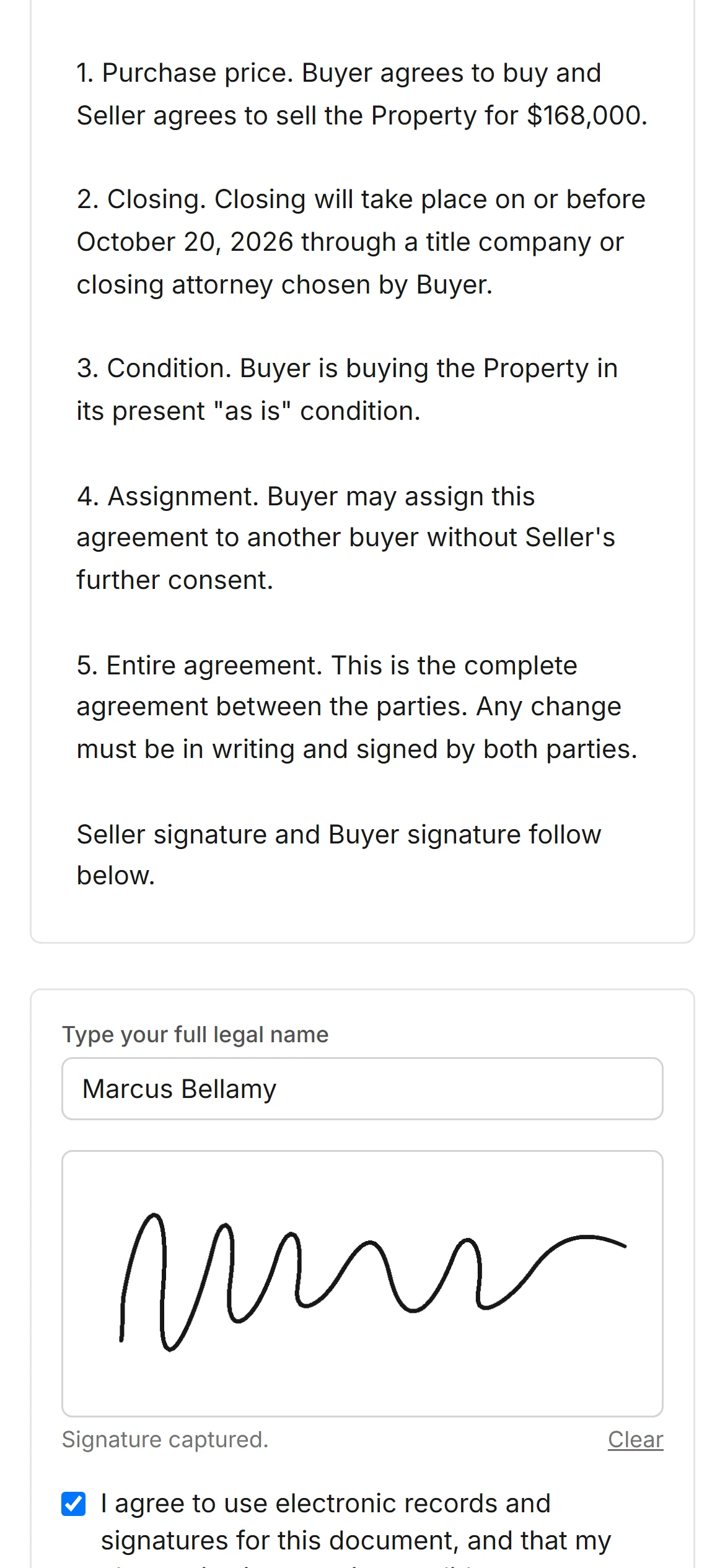
- They read the whole document.
- They type their full legal name, and can also draw a signature.
- They agree to the electronic records disclosure.
- They choose Sign document and can download a PDF copy.
The signing time is recorded for them. There are no initials or date fields to fill in.
Track and Download
The document page shows each signer's status and a History of every step: created, sent, link issued, viewed, signed and everyone signed.
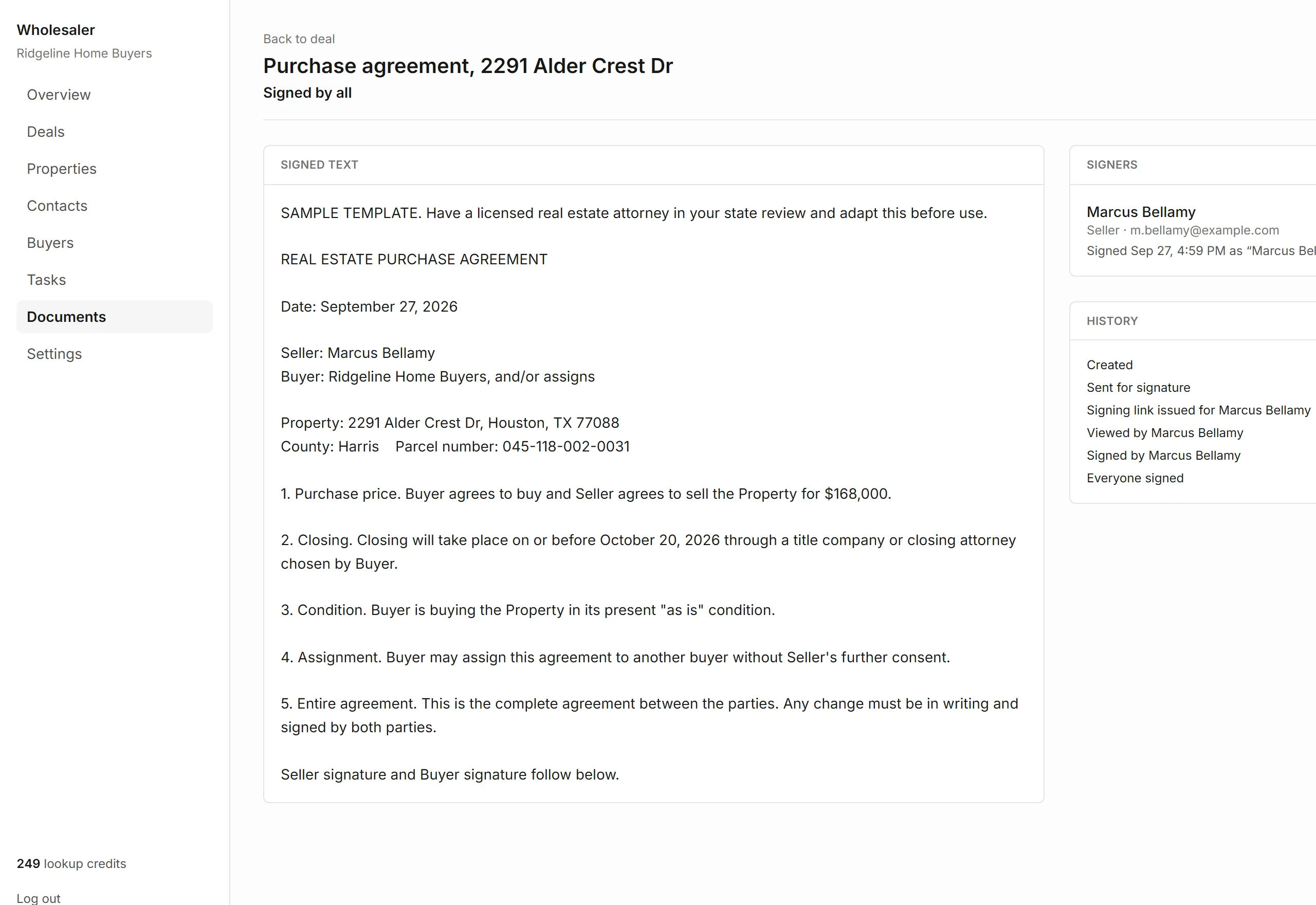
| Draft | Being edited, not sent yet |
|---|---|
| Out for signature | Sent, waiting on at least one signer |
| Signed by all | Every signer has signed |
| Void | Cancelled, and the links stop working |
Choose Download PDF any time. The signed PDF shows each signature with its time and IP address, plus an audit trail page with a fingerprint of the signed text.
To change a sent document, an owner or admin chooses Void, and you create a new one.